

Docusign Business Analyst Interview Guide: Process, Tips & Sample Questions (2026)


Introduction
Business analyst roles continue to grow as companies rely more on data driven decision making, with the U.S. Bureau of Labor Statistics projecting roughly 10 percent growth in business and operations analysis roles through 2032. At Docusign, this demand is even stronger because business analysts play a central role in improving workflows, guiding product decisions, and supporting the systems that power millions of agreements each day. Industry estimates show that fewer than 15 percent of business analyst applicants at comparable SaaS companies move past the initial screening, reflecting the selectivity of role.
Candidates often struggle because the interviews test SQL fundamentals, problem solving, product intuition, and communication all at once. Without a clear plan, it becomes difficult to structure answers, navigate case questions, and show the impact oriented mindset Docusign expects. This guide eliminates that uncertainty. You will find a clear breakdown of the Docusign business analyst interview, the most common business analyst specific questions, and focused preparation strategies to help you walk into each stage structured, confident, and ready to stand out.
Docusign Business Analyst Interview Process
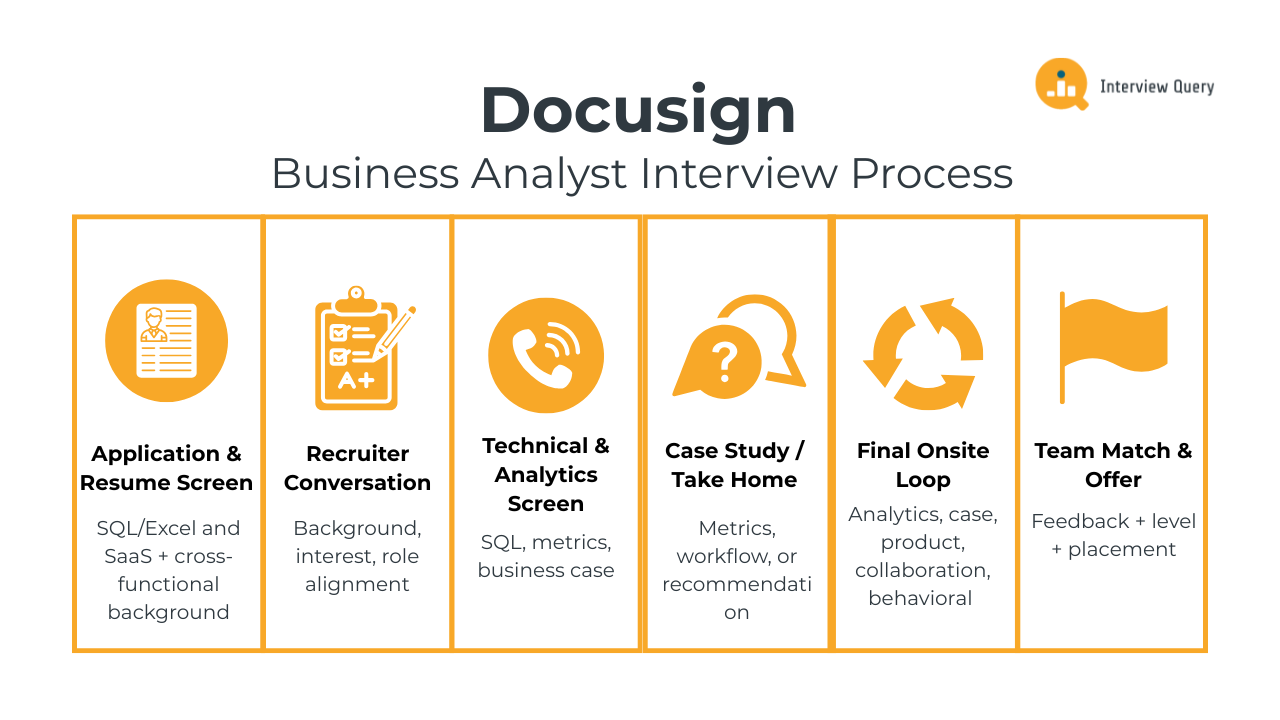
The Docusign business analyst interview process evaluates your analytical depth, product intuition, business reasoning, and ability to communicate clearly in cross functional environments. Each stage is designed to assess how well you can interpret data, structure complex problems, work with stakeholders, and drive operational or product improvements. Most candidates complete the process within four to six weeks depending on role level and team schedules. Below is a breakdown of each stage and what Docusign looks for throughout the hiring journey.
Application and Resume Screen
Recruiters review your background for experience in analytics, operations, product support, or process optimization. Strong candidates highlight SQL or Excel proficiency, familiarity with SaaS or workflow driven products, and clear examples of cross functional collaboration. Experience in sales operations, customer success operations, product analytics, or business systems work aligns especially well with Docusign’s needs. Resumes that quantify outcomes and demonstrate ownership tend to stand out.
Tip: Rewrite three bullet points on your resume to show a measurable result, a tool or method used, and the business impact. This mirrors exactly how Docusign evaluates BA experience.
Initial Recruiter Conversation
The recruiter call is a short discussion focused on your background, interest in Docusign, and alignment with business analyst responsibilities. Recruiters confirm experience with analytics tools, communication skills, stakeholder interaction, and your ability to support operational or product teams. This stage may also touch on timeline expectations, location preferences, and compensation guidelines.
Tip: Prepare a 45-second “project pitch” describing an analysis you led, the insight you uncovered, and the change it drove. This format matches what Docusign recruiters expect to hear.
Technical and Analytics Screen
This stage usually includes one or two interviews centered on SQL, metrics reasoning, and business case analysis. You may write queries, interpret datasets, create simple calculations, or reason through product or operational scenarios. Teams often explore how you define success metrics, break down ambiguous problems, or evaluate the health of a feature or workflow. Some interviewers include a short case focused on user behavior, funnel analysis, sales performance, or operations processes.
Tip: When answering SQL questions, narrate your logic in this order: filter, group, aggregate, edge cases. This structure shows the exact reasoning Docusign looks for.
Case Study or Take Home Assignment
Some teams include a short take home assignment that evaluates how you structure analysis, clean data, interpret results, and summarize insights. You may be asked to review adoption metrics, map a workflow, or prepare a brief stakeholder ready recommendation. Clarity and communication are as important as analytical accuracy.
Tip: Write your final slide or summary first, then build the analysis to support it. This ensures your deliverable reads like a crisp recommendation, not a data dump.
Final Onsite Interviews
The onsite loop is the most comprehensive part of the Docusign business analyst interview process. It typically includes four to five focused interviews that simulate real world analytical and cross functional challenges across product, operations, and go to market teams. These sessions evaluate your analytical depth, structured thinking, communication style, and ability to partner effectively with stakeholders.
Analytics and problem solving round: You will work through metric interpretation, funnel analysis, data quality checks, or exploratory questions that assess how you break down ambiguous analytical problems. Expect to identify trends, propose next steps, and explain how data influences recommendations.
Tip: Use the MECE pattern: Metric → Explanation → Cause → Experiment. Interviewers specifically look for whether you separate symptoms from root causes.
Business case or scenario round: This session assesses how you approach operational, customer, or product scenarios. You may map a workflow, evaluate bottlenecks, or propose improvements that balance customer experience, team efficiency, and business impact.
Tip: Draw a three step workflow map verbally (Step, Owner, Pain Point). This instantly shows that you can reason about Docusign’s real system-level processes.
Product thinking and strategy round: You will be asked how you evaluate feature performance, develop success metrics, or identify opportunities to improve the customer journey within Docusign’s Agreement Cloud products.
Tip: Always define one primary metric and one guardrail metric. Docusign teams explicitly look for candidates who balance user outcomes with operational safety.
Cross functional collaboration round: Interviewers explore how you partner with product managers, engineers, sales teams, or customer success groups to move projects forward. Expect questions about navigating trade offs, managing stakeholders, and communicating insights to technical and non technical audiences.
Tip: Use the alignment triangle: Context → Options → Decision. This shows how you structure conversations and manage differing priorities.
Behavioral and culture fit round: This interview focuses on communication, ownership, adaptability, and how you handle challenging situations. You may discuss delivering difficult insights, working through misalignment, or learning from a project that did not go as planned.
Tip: Use the SOAR format (Situation, Obstacle, Action, Result). Docusign interviewers prefer this because it highlights resilience and initiative clearly.
Team Match and Offer
After the onsite, the hiring team reviews written feedback and determines your final level and team placement. Docusign then presents an offer that includes base salary, equity, and bonus components. You may also discuss which product, operations, or analytics teams best align with your background and interests.
Tip: Bring a ranked list of your preferred teams and why they align with your skill set. Recruiters appreciate candidates who know how they want to contribute from day one.
Ready to strengthen your Docusign business analyst interview skills? Explore real workflow, analytics, and product reasoning problems on the Interview Query Dashboard and start preparing with confidence today.
Challenge
Check your skills...
How prepared are you for working as a Business Analyst at Docusign?
Docusign Business Analyst Interview Questions
The Docusign business analyst interview includes a mix of analytics, SQL, product reasoning, operational problem solving, and stakeholder communication. These questions evaluate how well you interpret data, structure ambiguous problems, understand the Agreement Cloud ecosystem, and translate insights into clear business recommendations. Interviewers look for candidates who think logically, communicate clearly, and can connect analytical findings to user needs, internal processes, and business outcomes. You should be prepared to analyze metrics, evaluate workflows, break down product scenarios, and walk through behavioral examples that show ownership and cross functional impact.
Read more: Business Analyst Interview Questions: A Comprehensive Guide
Analytics And SQL Interview Questions
Docusign relies heavily on workflow analytics, product usage metrics, and operational reporting to understand customer behavior and internal efficiency. In this part of the interview, you may write SQL queries, interpret data patterns, evaluate funnels, or propose metrics that explain product or business performance. Interviewers want to see structured reasoning, clear logic, and an ability to connect data to actionable next steps.
Select the 2nd highest salary in the engineering department
This type of ranking question shows whether you understand ordering, grouping, and handling ties, all of which matter for compensation analysis and workforce planning at Docusign. You would filter employees to the engineering department, remove duplicates if needed, and apply a ranking function such as
DENSE_RANKto identify the second highest non-duplicate salary. Alternatively, you can sort salaries in descending order and useLIMIT/OFFSETto retrieve the second value.Tip: Use
DENSE_RANKwhen equal salaries should be treated as the same level in compensation reporting.How would you evaluate a drop in eSignature completion rates in a specific region?
Docusign asks this to assess how well you break down funnel performance issues across users, templates, workflows, and devices. A strong answer starts by validating data quality, then examining each step from send to complete to locate where friction emerges. You would segment by geography, sender type, template usage, platform, and recipient behavior, then compare against baseline regions. From there, propose hypotheses, validate with secondary data, and outline next steps with product or ops teams.
Tip: Highlight how you would confirm whether the drop is caused by product changes, outages, or region specific workflow patterns.
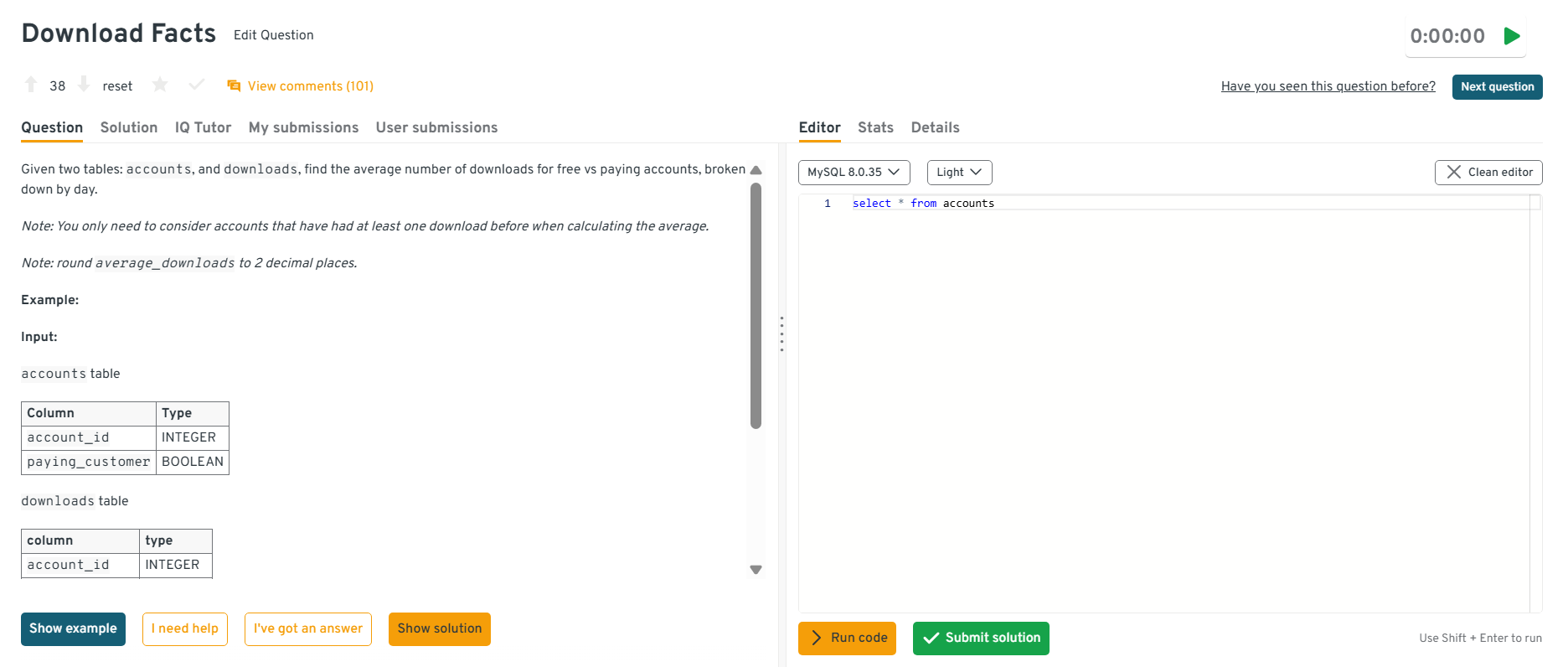
Compare average downloads for free vs paid accounts.
This question assesses your ability to analyze behavioral differences between cohorts, a skill used when evaluating Docusign plan upgrades or feature adoption. To answer, join the downloads table with account types, filter to the relevant date range, group by paid vs free tiers, and calculate average downloads per account. Emphasize the importance of cleaning the data by removing test accounts or dormant users.
Tip: Mention how interpreting cohort differences helps explain usage patterns tied to plan value and customer lifecycle.
Head to the Interview Query dashboard to practice the full set of business analyst interview questions. With built-in code testing, performance analytics, and AI-guided tips, it’s one of the best ways to sharpen your skills for Docusign interviews.
-
Daily active usage is a core metric across Docusign products because it signals engagement health and workflow reliability. You would group logs by date and platform, count distinct users per day, and restrict results to the 2020 calendar year. This requires accurate timestamp handling and awareness of cross-platform activity such as mobile, web, or integrated applications.
Tip: Note that distinguishing between sender and recipient behavior provides more actionable insights for Docusign’s teams.
-
Docusign asks questions like this to understand whether analysts can link behavioral signals to revenue outcomes. To solve, identify website interaction events, flag users who interacted vs those who did not, join this with purchase data, and compute conversion rates by group. You would then compare the two cohorts to determine whether interaction predicts higher likelihood of purchase or upgrade.
Tip: Clarify how you would exclude trial users, test accounts, or non-qualified leads to ensure accurate conversion measurement.
Write a SQL query to calculate average turnaround time from document sent to document completed.
Turnaround time is one of Docusign’s most important operational metrics since it reflects workflow efficiency and customer satisfaction. You would subtract send timestamps from completion timestamps for each envelope, convert the duration into consistent time units, filter out canceled or expired envelopes, and compute the average by segment such as template, region, or account. This helps uncover slowdowns in specific workflows.
Tip: Reference how monitoring turnaround time supports product improvements and better customer onboarding.
Watch next: Three Tricky Analytics Interview Questions with Andrew
In this mock analytics interview, Andrew from Data Leap Tech breaks down how data professionals approach complex analytical problems, from hypothesis-driven reasoning and metric selection to handling ambiguous questions with structure. This walkthrough is especially useful for business analyst candidates, as it demonstrates how clear communication, analytical thinking, and real-world data interpretation can set you apart in Docusign interview process.
Business Case And Problem Solving Interview Questions
These questions evaluate how you approach real operational and customer experience scenarios at Docusign. You may map processes, identify bottlenecks, propose improvements, or reason through ambiguous business cases. Interviewers look for structure, clarity, and the ability to balance customer value with internal efficiency.
-
This question tests your ability to evaluate strategic trade offs, which is central to Docusign’s enterprise and self serve growth decisions. You would compare cost, scalability, target customer segments, and expected adoption uplift. A customer success manager may be better for high touch enterprise workflows, while a trial may accelerate self serve activation. The goal is to frame the decision around user needs, revenue potential, and operational effort.
Tip: Connect your recommendation to measurable outcomes such as onboarding completion, activation rate, or incremental revenue.
-
Docusign asks similar questions to evaluate whether candidates can break down long term performance trends across product usage, customer churn, pricing, or workflow behavior. You would segment revenue by customer type, geography, product line, and contract tier, then analyze changes in volume, price, and churn. From there, drill into specific drivers such as declining feature engagement or reduced envelope volume.
Tip: Call out the importance of validating external factors like seasonality, policy changes, or macro conditions.
How would you analyze a spike in customer support tickets related to signing failures?
This scenario reflects real issues Docusign analysts help triage. Start by categorizing tickets by device, browser, template, integration, and recipient type to identify patterns. Review error logs, recent releases, and region specific traffic to narrow root causes. Work with engineering and support leaders to validate hypotheses, prioritize fixes, and develop short term mitigations while long term improvements are scoped.
Tip: Suggest validating logs and partnering with engineering to isolate root causes.
-
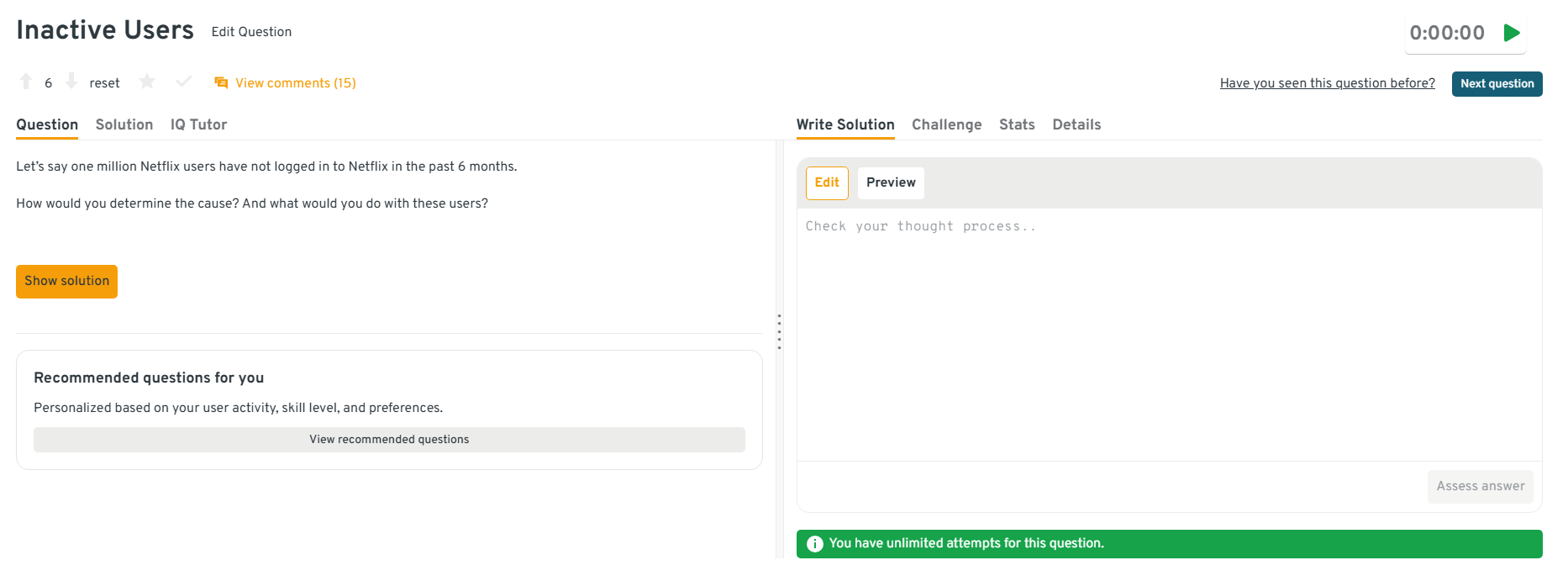
Inactivity analysis is crucial for Docusign’s adoption and renewal strategy. You would define inactivity criteria, segment users by plan, role, workflow type, and onboarding status, then identify where engagement dropped. Investigate whether friction points, poor onboarding, or missing features correlate with the decline. Finally, propose targeted re-engagement actions such as guided workflows, training content, or account manager outreach.
Tip: Emphasize closing the loop by measuring re-engagement rates for each intervention.
Head to the Interview Query dashboard to practice the full set of business analyst interview questions. With built-in code testing, performance analytics, and AI-guided tips, it’s one of the best ways to sharpen your skills for Docusign interviews.
How would you determine whether a new document preparation tool is improving user efficiency?
Docusign expects analysts to connect product changes to measurable workflow improvements. You would define success metrics such as preparation time, error frequency, template usage, and completion rates. Compare these before and after launch across user segments, controlling for confounders like training periods or major release cycles. Insights should translate into recommendations for further refinement or expanded rollout.
Tip: Highlight the importance of isolating confounding factors such as adoption ramp or training.
If you need structured prep, explore our full list of Interview Query questions to practice what companies actually ask and check out a success story with Interview Query to learn more about the experience.
Product And Systems Thinking Interview Questions
These questions explore how you evaluate product behavior, understand user needs, and reason about systems within Docusign’s Agreement Cloud. You may be asked to define metrics, critique features, or identify opportunities to improve the user journey.
-
Docusign uses similar reasoning to evaluate which go to market activities drive high quality signups, upgrades, or workflow adoption. You would compare channels using metrics like lead quality, conversion to activated senders, cost per acquisition, and downstream revenue. Segmenting by company size, industry, and product usage helps reveal which channels bring in customers who stay active and create high agreement volume.
Tip: Emphasize the importance of examining lifetime value, not just initial conversions.
Docusign wants to improve visibility into document status changes. What product enhancements would you explore?
This evaluates how well you understand workflow friction and user uncertainty. Potential improvements include clearer real time status indicators, customizable notifications, enhanced audit trails, or in app prompts explaining delays. You might also propose analytics dashboards that summarize document progress and identify bottlenecks across teams. These solutions aim to reduce confusion and help both senders and recipients stay aligned.
Tip: Anchor suggestions in reducing uncertainty for senders and recipients.
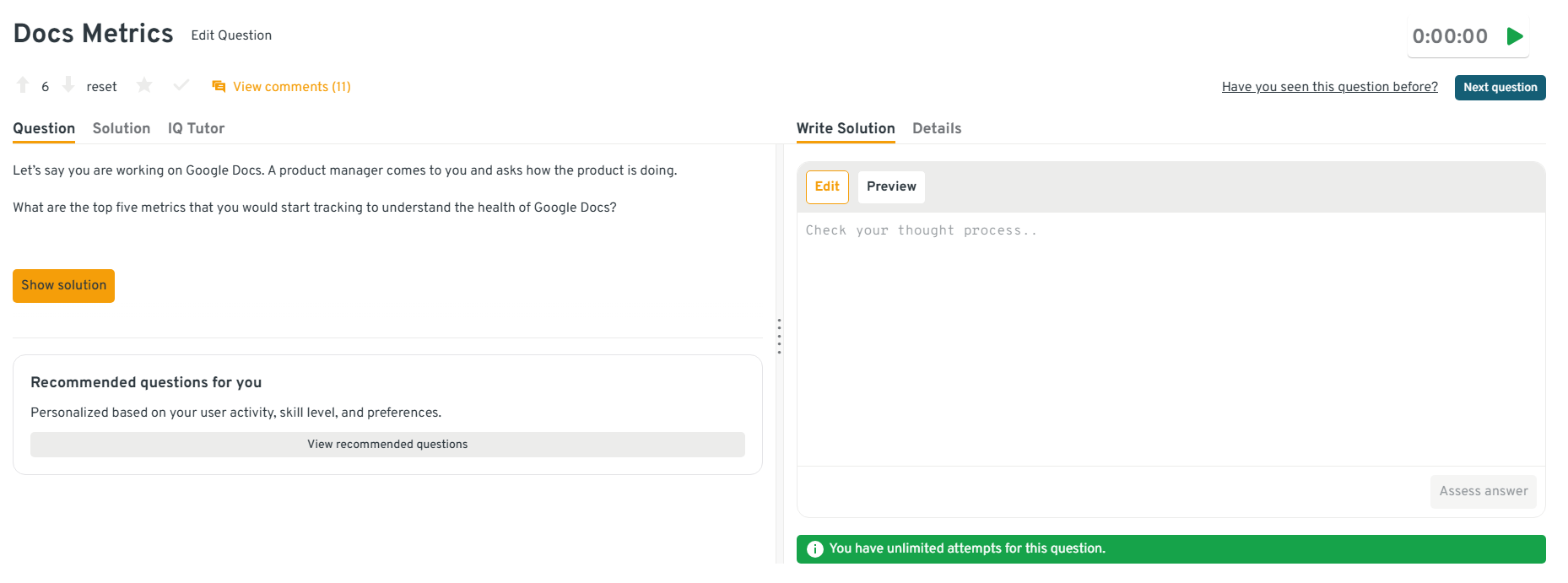
What are the top five metrics that you would start tracking to understand the health of Google Docs?
Docusign asks similar questions to see whether you can identify product health signals for eSignature or CLM workflows. Metrics might include daily active users, document creation rate, collaboration activity, latency or load time, and error frequency. These indicators collectively show whether users are engaged, productive, and experiencing a stable platform.
Tip: Explain how leading indicators help catch workflow issues before customer satisfaction drops.
Head to the Interview Query dashboard to practice the full set of business analyst interview questions. With built-in code testing, performance analytics, and AI-guided tips, it’s one of the best ways to sharpen your skills for Docusign interviews.
-
This question tests your ability to design flexible dashboards similar to those used for Docusign’s enterprise customers. Start with universal metrics like conversion rate, revenue trends, order volume, and customer segments. Add modular components so merchants can drill into specific workflows or product categories. Visualizations should be simple, comparable over time, and easy to interpret for different store types.
Tip: Mention the value of customizable widgets so each business tailors insights to its workflow.
How would you prioritize feature requests that come from sales, customer success, and enterprise customers at the same time?
Analysts at Docusign frequently help balance competing needs across teams. You would apply a prioritization framework that weighs business impact, customer value, urgency, effort, and alignment with product goals. Gathering context from each stakeholder and validating data behind each request ensures a fair and transparent process. Your final recommendation should support both near term improvements and long term product strategy.
Tip: Use an objective scoring model so stakeholders understand how decisions were made.
Behavioral Interview Questions
Behavioral questions assess ownership, communication, teamwork, and your ability to navigate real world challenges. Each answer should follow a structured format and demonstrate clear impact.
What makes you a good fit for our company?
This assesses how well you align with Docusign’s mission and the analytical rigor needed to support agreement workflows at scale. Strong answers connect your experience in process optimization, product analysis, or cross functional work to the needs of Docusign’s eSignature and CLM teams.
Example: “In my current role, I improved a document routing workflow that reduced turnaround time by 18 percent. Docusign’s focus on simplifying agreement processes aligns with my passion for solving operational bottlenecks and enabling teams with clear, data driven insights.”
Tip: Reference Docusign’s values around trust, customer focus, and operational excellence.
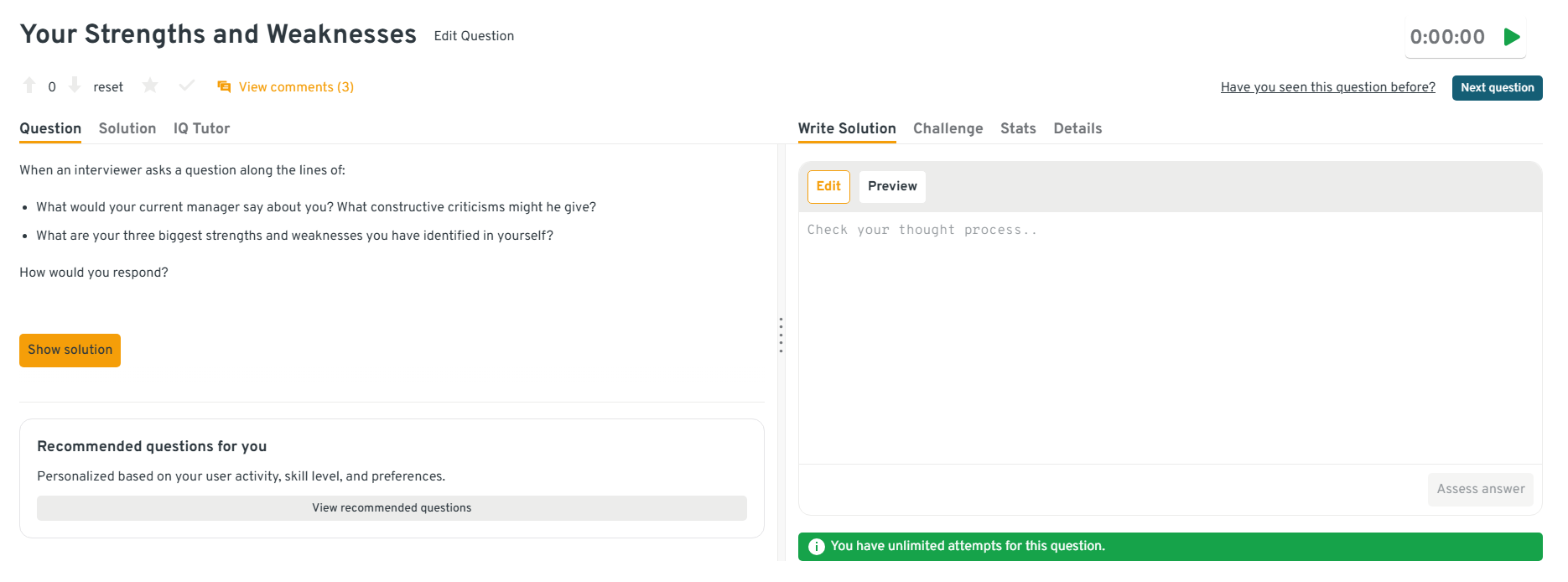
What are your three biggest strengths and weaknesses you have identified in yourself?
This question gauges self-awareness and how well you evaluate your own performance in analytical and cross functional environments. Strong strengths might include structured problem solving, clear communication, and the ability to translate data into recommendations. Weaknesses should be genuine but paired with actionable improvements.
Example: “One strength is my ability to break down ambiguous workflows, which helped me streamline a contract intake process at my last company. A weakness I identified is taking on too many stakeholder requests at once, so I now use a prioritization framework to manage expectations.”
Tip: Choose strengths that map to analysis, workflow reasoning, or collaboration at Docusign.
Head to the Interview Query dashboard to practice the full set of business analyst interview questions. With built-in code testing, performance analytics, and AI-guided tips, it’s one of the best ways to sharpen your skills for Docusign interviews.
-
Docusign values analysts who bridge product, engineering, and customer teams. A strong answer explains the communication gap, how you reframed insights, and how clarity improved decision making.
Example: “A sales team struggled to understand why certain accounts churned. I replaced technical charts with a simple funnel explanation and concrete examples, which helped align on new renewal playbooks.”
Tip: Show that you adjust your communication style based on audience and context.
How would you convey insights and the methods you use to a non-technical audience?
Analysts at Docusign often present to customer success, legal teams, and executives. A strong approach replaces jargon with business language, uses visuals, and anchors insights in customer impact.
Example: “While analyzing feature adoption, I summarized the analysis in three takeaways and used a storyboard flow to show where users stalled. This helped non technical partners quickly understand the issue and prioritize fixes.”
Tip: Emphasize clarity, narrative structure, and relevance to business outcomes.
Tell me about a time you identified a process inefficiency and fixed it.
This evaluates whether you take initiative and drive measurable improvements. Choose a workflow with clear pain points, explain how you diagnosed the issue, and describe the solution and impact.
Example: “I discovered our contract review queue slowed down due to redundant checks. I redesigned the workflow and recommended automating status updates, which cut cycle time by 25 percent.”
Tip: Quantify the impact and highlight cross functional coordination.
Want realistic practice with analytics, and product reasoning questions? Try Interview Query’s AI Interviewer for tailored feedback that mirrors Docusign’s business analyst interview expectations.
What Does a Docusign Business Analyst Do?
A Docusign business analyst supports the teams that power the company’s growing agreement management ecosystem. Analysts work across product, operations, sales, customer success, and strategy to strengthen workflows, analyze product usage, and guide decisions with clear, data grounded insights. The role focuses on improving operational efficiency, shaping feature development, and ensuring that customer and business needs translate into scalable processes and measurable outcomes.
Common responsibilities include:
- Analyzing product usage, customer behavior, and operational metrics to identify trends and surface actionable insights.
- Partnering with product managers and engineering teams to define requirements, scope features, and evaluate impact.
- Improving internal workflows by mapping processes, identifying bottlenecks, and recommending automation or system enhancements.
- Supporting sales, revenue, and customer success teams with dashboards, forecasting, and performance reporting.
- Leading cross functional initiatives that align business goals, streamline operations, and reinforce the customer journey across Docusign’s Agreement Cloud ecosystem.
Want to master the full business analyst lifecycle? Explore our Business Analytics 50 study plan to practice a curated set of business analytics questions designed to strengthen your skills across analytics, SQL, product thinking, and workflow evaluation.
How To Prepare For A Docusign Business Analyst Interview
Preparing for the Docusign business analyst interview requires a balance of analytical skill, product awareness, and the ability to explain complex reasoning with clarity. Because analysts work across product, operations, sales, and customer experience teams, Docusign evaluates how well you translate insights into decisions that improve workflows and strengthen the Agreement Cloud ecosystem.
Below is a preparation framework tailored specifically to Docusign’s expectations.
Study Docusign’s Agreement Cloud products and workflows: Understand how eSignature, CLM, and identity tools fit together, and how customers move through sending, reviewing, and completing documents.
Tip: Map the end to end customer journey in your own words to practice distilling complex flows.
Develop structured problem solving for operational scenarios: Many prompts focus on diagnosing inefficiencies, improving team processes, or clarifying ambiguous workflows. Build familiarity with frameworks for root cause analysis and prioritization.
Tip: Practice summarizing findings into two to three actionable recommendations.
Build product thinking for workflow driven tools: Docusign values analysts who understand why features succeed or fail. Learn how to evaluate user friction, define success metrics, and reason about changes that support enterprise scale workflows.
Tip: Review product updates or release notes and translate each change into a metric you would track.
Improve communication with cross functional audiences: Analysts frequently bridge product, engineering, revenue, and support teams. Prepare to explain insights without jargon and tailor your message to different business needs.
Tip: Practice delivering short, structured summaries as if presenting to executives.
Demonstrate experience owning data informed decisions: Bring examples that show how your insights led to measurable improvements in processes, adoption, revenue, or customer experience.
Tip: Use clear before and after comparisons to highlight business impact.
Run targeted mock interviews: Combine SQL, analytical reasoning, product scenarios, and behavioral prompts to simulate Docusign’s interview mix. After each session, track patterns in your structure or clarity.
Use Interview Query’s Mock Interviews to simulate the real interview pressure, and Take Home Practice tools to refine your skills.
Tip: Create a checklist of your recurring gaps and review it before every practice session.
Looking for hands-on problem-solving? Test your skills with real-world challenges from top companies. Ideal for sharpening your thinking before interviews and showcasing your problem solving ability.
Salary And Compensation For Docusign Business Analysts
Docusign offers competitive compensation for business analysts across product, operations, and go to market teams. Total compensation typically includes a strong base salary, annual performance bonuses, and meaningful equity grants, especially for roles supporting enterprise workflow optimization and Agreement Cloud initiatives. Compensation varies significantly by level, location, and team scope, with mid level analysts and senior analysts making up a large portion of new hires due to Docusign’s continued investment in operational efficiency and customer experience.
Read more: Business Analyst Salary
Tip: Discuss your target level early in the process since leveling affects both your compensation band and the expectations for your analytical responsibilities.
Docusign Business Analyst Compensation Overview (2025)
| Level | Role Title | Total Compensation (USD) | Base Salary | Bonus | Equity (RSUs) | Signing / Relocation |
|---|---|---|---|---|---|---|
| BA1 | Associate or Junior Business Analyst | $90K – $115K | $75K–$90K | Performance based | Standard RSU grants | Limited availability |
| BA2 | Business Analyst / Mid Level | $115K – $150K | $90K–$110K | Performance based | RSUs included | Offered case by case |
| Senior BA | Senior Business Analyst | $145K – $185K | $110K–$130K | Above target possible | Larger RSU allocations | More common for senior hires |
| Lead / Staff BA | Lead or Staff Business Analyst | $180K – $230K+ | $130K–$150K | High performer bonuses | High RSUs with refreshers | Offered for advanced roles |
Note: These ranges are based on 2025 data from Levels.fyi, TeamBlind, public job listings, and Interview Query’s internal salary database.
Tip: Always ask for role specific compensation bands for locations like Seattle, San Francisco, and remote roles since Docusign’s salaries vary by office and market conditions.
Average Base Salary
Average Total Compensation
Negotiation Tips That Work For Docusign
Negotiating with Docusign requires clarity, preparation, and data driven expectations. The company values candidates who approach compensation conversations thoughtfully and connect their experience to measurable business impact.
- Clarify your scope and cross functional exposure: Analysts supporting multiple teams or enterprise workflows often qualify for higher levels. Explain your experience with stakeholder management, process improvements, and strategic analysis.
- Benchmark using multiple sources: Reference verified data from Levels.fyi, *TeamBlind,* and the Interview Query salary database to set informed expectations.
- Highlight past impact with quantifiable results: Docusign appreciates candidates who express value through operational improvements, efficiency gains, or measurable product insights.
- Request clarity on equity structure: RSUs are a meaningful part of compensation at Docusign. Ask about vesting schedules, refresh cycles, and performance based opportunities.
- Factor in location adjustments: Seattle, San Francisco, and hybrid roles often carry different salary ranges. Ask your recruiter for precise regional bands before finalizing expectations.
Tip: Request a full compensation breakdown, including base salary, bonus targets, RSU refreshers, and any relocation or signing incentives, so you can negotiate with full confidence.
FAQs
How long does the Docusign business analyst interview process take?
Most candidates complete the process within four to six weeks, depending on team bandwidth and role level. Recruiters usually share updates after each stage and let you know if additional conversations are needed for final alignment.
Does Docusign require SaaS or workflow automation experience for business analyst roles?
Not always. While experience with SaaS or workflow driven tools helps, Docusign mainly looks for strong analytical reasoning, clear communication, and structured problem solving across cross functional teams.
How technical is the Docusign business analyst interview?
The interview focuses on practical analytical fluency rather than deep technical skills. Expect SQL, funnel interpretation, metrics reasoning, and scenario based problem solving, not engineering level technical questions.
Why should I pursue a business analyst role at Docusign?
Docusign offers analysts the chance to influence high impact workflows across eSignature, CLM, and identity products. The role provides strong visibility, ownership, and career growth across analytics, operations, and product strategy.
What tools should I be familiar with for the interview?
Most teams use SQL, Excel or Sheets, and visualization tools like Tableau or Power BI. Familiarity with Salesforce, workflow diagrams, and basic analytics frameworks also helps you demonstrate readiness.
How much product knowledge do I need before the interview?
You should understand Docusign’s core products, user flows, and common agreement scenarios. You do not need deep technical knowledge, but you should comfortably explain how workflows create value for senders and recipients.
What type of behavioral questions does Docusign ask?
Expect questions about collaborating with cross functional partners, handling ambiguous projects, resolving misalignment, and communicating insights. Interviewers look for structured storytelling and clear evidence of ownership.
Become a Docusign Business Analyst with Interview Query
Preparing for the Docusign business analyst interview means refining your analytical skills, strengthening your product understanding, and practicing clear, structured communication. You can also deepen your readiness by reviewing common analytical and product patterns through the full Interview Query question bank to build comfort in high pressure scenarios.
Use our mock interview sessions to practice end to end problem solving, and get targeted guidance through Interview Query’s coaching sessions. By working through realistic business cases, improving your ability to interpret metrics, and sharpening your reasoning on workflow and customer experience challenges, you can approach each interview stage with confidence.
Docusign Interview Questions
| Question | Topic | Difficulty |
|---|---|---|
Behavioral | Medium | |
Let’s say we’ve proposed a new analytics dashboard to a client, but after reviewing our design and data sources, the client says the solution doesn’t meet their needs and pushes back on several key features. How would you approach the conversation to negotiate alternative solutions, and what steps would you take to ensure disagreements are handled constructively so we can still reach a successful outcome? | ||
Product Sense & Metrics | Medium | |
Behavioral | Medium | |
SQL | Easy | |
Machine Learning | Medium | |
Statistics | Medium | |
SQL | Hard | |
Machine Learning | Medium | |
Python | Easy | |
Deep Learning | Hard | |
SQL | Medium | |
Statistics | Easy | |
Machine Learning | Hard |
Discussion & Interview Experiences