
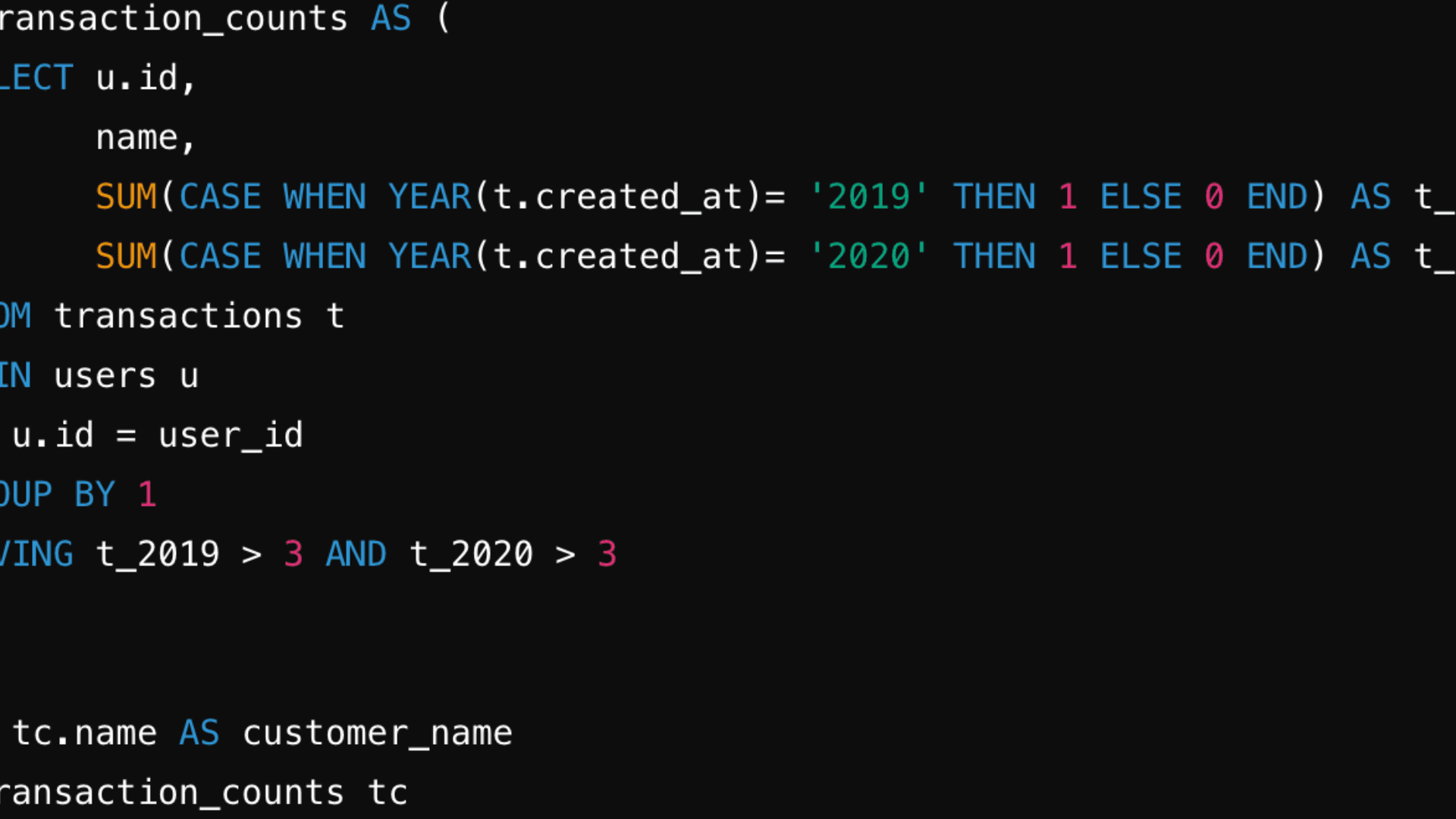
How to Use SQL CASE WHEN with Multiple Conditions (MySQL, PostgreSQL, SQL Server, Oracle)


Introduction
The CASE WHEN statement in SQL is a powerful control-flow structure that allows you to return specific values based on conditional logic. Often compared to IF-THEN-ELSE statements in traditional programming, CASE WHEN is used to create conditional outputs within a single SQL query.
Understanding how to use sql case when multiple conditions is especially important when dealing with complex data scenarios—like categorizing data, applying filters, or building dynamic columns based on multiple rules. Whether you’re writing queries for reporting, analytics, or interviews, mastering the sql case statement is an essential skill.
In this guide, we break down how to use the SQL CASE WHEN statement with multiple conditions across platforms like MySQL, SQL Server, Oracle, and PostgreSQL.
By the end, you’ll know how to write and optimize case when in sql logic—including how to use a case statement with multiple conditions effectively in real-world queries.
What is a CASE WHEN Statement in SQL?
The CASE WHEN statement in SQL is used to apply conditional logic directly within your queries. It allows you to return different values based on specific conditions, all within the context of a SELECT, UPDATE, or even WHERE clause. This makes it a flexible and essential tool for transforming data on the fly.
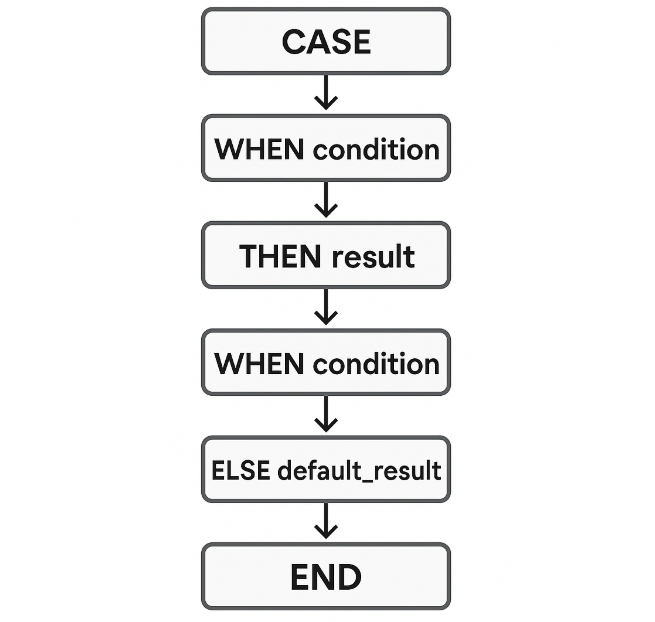
Basic Syntax of a CASE WHEN Statement
Here’s the standard format for a simple case when sql expression:
SELECT
  column_name,
  CASE
    WHEN condition THEN result
    ELSE fallback_result
  END AS alias_name
FROM table_name;
This structure enables you to check for a condition, return a specific value when that condition is true, and fall back to an alternative result if no match is found.
Example: Basic CASE WHEN Usage
SELECT
  user_id,
  purchase_amount,
  CASE
    WHEN purchase_amount > 100 THEN 'High spender'
    ELSE 'Regular'
  END AS user_tier
FROM purchases;
In this example, we use a case statement sql to classify users based on their purchase amount. This logic is often phrased as sql case when then else and helps in categorizing or labeling data dynamically. The sql case structure is especially helpful when writing queries that require human-readable outputs or when you’re prepping datasets for reporting dashboards or analysis pipelines.
Handling Multiple Conditions in SQL CASE WHEN
The real power of the CASE WHEN statement comes from its ability to evaluate multiple conditions within a single query. This flexibility allows you to write cleaner, more readable SQL logic—especially when dealing with complex datasets.
There are two main ways to handle multiple conditions in a CASE WHEN block:
1. Multiple WHEN Clauses
You can stack several WHEN clauses to check for different conditions sequentially. SQL will evaluate them in order and return the result from the first matching condition.
SELECT
  score,
  CASE
    WHEN score >= 90 THEN 'A'
    WHEN score >= 80 THEN 'B'
    WHEN score >= 70 THEN 'C'
    ELSE 'F'
  END AS grade
FROM test_scores;
This pattern is perfect for building rule-based categorizations, such as grading systems, pricing tiers, or risk levels.
2. Using AND / OR Logic Within a WHEN
You can also write more complex logic inside each WHEN clause by combining multiple conditions using AND or OR.
SELECT
  customer_id,
  CASE
    WHEN region = 'US' AND purchases > 10 THEN 'High Value - US'
    WHEN region = 'EU' OR region = 'APAC' THEN 'International'
    ELSE 'Standard'
  END AS customer_segment
FROM customers;
This example shows how SQL CASE WHEN with multiple conditions can be handled in a single clause using Boolean operators. This is especially useful in scenarios where multiple fields need to be evaluated together.
Whether you’re writing CASE WHEN with multiple conditions in MySQL, or a CASE statement with multiple conditions in SQL Server, the structure remains largely consistent across platforms. By mastering this, you unlock the ability to express business rules and logic directly within your SQL queries—without the need for post-processing in code.
SQL CASE WHEN Multiple Conditions: Syntax and Patterns
When working with real-world datasets, you’ll often need more than a simple CASE WHEN clause.
Below are a few patterns that demonstrate how to use CASE WHEN with multiple conditions effectively—whether you’re writing reports, transforming columns, or applying updates.
1. Multiple WHEN with AND Conditions
This is the most common structure for handling multiple rules inside a CASE block.
SELECT
  user_id,
  login_count,
  CASE
    WHEN login_count > 50 AND active = TRUE THEN 'Power User'
    WHEN login_count > 20 AND active = TRUE THEN 'Regular User'
    ELSE 'Inactive'
  END AS user_type
FROM user_data;
2. Nested CASE Statements
Sometimes a second layer of logic is needed. This is useful when conditions depend on a previous category.
SELECT
  order_id,
  CASE
    WHEN status = 'Shipped' THEN
      CASE
        WHEN delivery_days <= 2 THEN 'Express'
        ELSE 'Standard'
      END
    ELSE 'Pending'
  END AS shipping_speed
FROM orders;
3. CASE WHEN Inside a WHERE Clause
You can even use CASE to conditionally filter records.
SELECT *
FROM transactions
WHERE
  (CASE
     WHEN transaction_type = 'refund' AND amount > 100 THEN TRUE
     ELSE FALSE
   END);
4. CASE WHEN in an UPDATE Statement
This pattern allows for conditional updates across rows.
UPDATE employee
SET bonus_category =
  CASE
    WHEN performance_rating = 'A' AND tenure > 5 THEN 'High'
    WHEN performance_rating = 'B' THEN 'Medium'
    ELSE 'Low'
  END;
These syntax patterns are fundamental when writing CASE with multiple conditions, especially across different use cases like filtering, updating, or deriving new columns. Mastering them ensures your queries stay scalable and easy to debug.
Examples for Different SQL Platforms
The CASE WHEN syntax remains largely consistent across SQL dialects, but each platform may have subtle variations in behavior or formatting. Below are examples of how to use CASE WHEN with multiple conditions across MySQL, SQL Server, Oracle, and PostgreSQL.
MySQL Example
In MySQL, you can use CASE WHEN for conditional logic directly within a SELECT statement. Here’s a common use case:
SELECT
  order_id,
  order_amount,
  CASE
    WHEN order_amount > 500 AND region = 'US' THEN 'Priority - US'
    WHEN order_amount > 500 THEN 'Priority - Intl'
    ELSE 'Standard'
  END AS order_category
FROM orders;
SQL Server Example
In SQL Server, the CASE logic works the same way. It’s often used in reporting or to drive conditional updates.
SELECT
  employee_id,
  performance_score,
  CASE
    WHEN performance_score >= 90 THEN 'Excellent'
    WHEN performance_score >= 75 THEN 'Good'
    ELSE 'Needs Improvement'
  END AS review_status
FROM employee_reviews;
Oracle Example
Oracle SQL supports CASE in both SELECT and UPDATE operations. Here’s an example from a human resources dataset:
SELECT
  emp_id,
  salary,
  CASE
    WHEN department = 'Finance' AND salary > 100000 THEN 'High Earner - Finance'
    WHEN department = 'Engineering' AND salary > 120000 THEN 'High Earner - Eng'
    ELSE 'Standard'
  END AS salary_tier
FROM employees;
PostgreSQL Example
PostgreSQL supports all standard CASE WHEN syntax, with excellent flexibility across complex queries.
SELECT
  product_id,
  stock,
  CASE
    WHEN stock = 0 THEN 'Out of Stock'
    WHEN stock < 20 AND discontinued = FALSE THEN 'Low Stock'
    ELSE 'In Stock'
  END AS stock_status
FROM inventory;
These examples demonstrate how to adapt CASE WHEN logic with multiple conditions to each major SQL platform. While the structure remains similar, it’s always a good idea to test performance and edge cases specific to your database engine.
Real SQL Interview Example: CASE WHEN with Multiple Conditions
In SQL interviews, you’re often asked to write queries that apply conditional logic to generate insights or labels based on multiple criteria. These types of questions test your ability to structure CASE WHEN blocks clearly and efficiently, especially when dealing with multiple columns or conditions.
Here’s a real-world, interview-style problem that requires using a CASE statement with multiple conditions.
Interview Question
“You are given a table orders with the following columns: order_id, amount, region, and payment_method. Write a query that classifies each order into a tier based on the following logic:
- If the
amountis greater than 500 and theregionis ‘US’, label it as'High Value - US'. - If the
amountis greater than 500 andregionis anything else, label it as'High Value - Intl'. - If the
payment_methodis'cash'andamountis under 100, label it as'Low Value - Cash'. - Otherwise, label it as
'Standard'.
Solution
SELECT
  order_id,
  amount,
  region,
  payment_method,
  CASE
    WHEN amount > 500 AND region = 'US' THEN 'High Value - US'
    WHEN amount > 500 THEN 'High Value - Intl'
    WHEN payment_method = 'cash' AND amount < 100 THEN 'Low Value - Cash'
    ELSE 'Standard'
  END AS order_tier
FROM orders;
This example demonstrates how to write a CASE WHEN with multiple conditions using both column comparisons and logical operators. It’s the kind of query that appears frequently in data analyst or data science interviews, especially when evaluating customer behavior, categorizing transactions, or cleaning raw datasets.
Common Mistakes and Edge Cases
While the CASE WHEN statement is flexible and powerful, it’s also easy to misuse—especially when handling multiple conditions. Below are some common mistakes and edge cases that can lead to incorrect results or confusing behavior in your queries.
1. Missing the ELSE Clause
If no condition in your CASE block is met and there’s no ELSE, the query will return NULL. This is one of the most frequent issues when writing a CASE WHEN statement in SQL.
SELECT
  score,
  CASE
    WHEN score >= 90 THEN 'A'
    WHEN score >= 80 THEN 'B'
    -- Missing ELSE will return NULL if score < 80
  END AS grade
FROM test_scores;
Tip: Always include an ELSE clause unless you intentionally want to return NULL.
2. Overcomplicating Logic in WHEN Statements
It’s easy to go overboard with nested logic. While nesting is valid, overly complex WHEN conditions can hurt readability and debugging.
SELECT
  user_id,
  CASE
    WHEN (status = 'active' AND last_login IS NOT NULL AND login_count > 50)
         OR (subscription = 'premium' AND device = 'mobile') THEN 'Engaged'
    ELSE 'Inactive'
  END AS engagement_label
FROM users;
Tip: Break complex logic into multiple WHEN clauses or use CTEs to simplify.
3. Misusing CASE in a WHERE Clause
You can use CASE in a WHERE clause, but it’s often better to write the condition directly using AND / OR. Incorrect use may return unexpected results.
SELECT *
FROM orders
WHERE
  CASE
    WHEN region = 'US' THEN amount > 100
    ELSE amount > 200
  END;
Better alternative:
SELECT *
FROM orders
WHERE
  (region = 'US' AND amount > 100)
  OR (region <> 'US' AND amount > 200);
Avoiding these common pitfalls makes your use of CASE WHEN more predictable, easier to debug, and suitable for interview scenarios or production environments. Whether you’re writing a CASE WHEN in SQL with multiple conditions or a nested CASE, simplicity and clarity will serve you best.
Alternatives to CASE WHEN for Multiple Conditions
While CASE WHEN is the most common way to implement conditional logic in SQL, it’s not the only option. Depending on the database you’re using, alternatives like IF, CHOOSE, and DECODE can also help you apply logic to your queries—sometimes with simpler syntax or better performance for specific use cases.
1. IF Statements (MySQL Only)
In MySQL, you can use the IF() function as a shorthand alternative to CASE. It evaluates a condition and returns one of two values.
SELECT
  order_id,
  IF(amount > 500 AND region = 'US', 'High Value', 'Standard') AS order_type
FROM orders;

-- sql if multiple conditions
-- sql if then statements
Tradeoff: IF() only supports one condition at a time and lacks the scalability of multiple WHEN clauses.
2. CHOOSE() (SQL Server Only)
CHOOSE() in SQL Server is useful when mapping index-based values to outputs. While not as flexible as CASE, it can clean up numeric mappings.
SELECT
  CHOOSE(priority_level, 'Low', 'Medium', 'High') AS priority_label
FROM tickets;

-- multiple if condition in sql select query
Tradeoff: It doesn’t support complex conditional logic—just index-based selection.
3. DECODE() (Oracle Only)
Oracle supports DECODE(), which acts like a simplified CASE for equality comparisons.
SELECT
  DECODE(status,
         'shipped', 'Order Sent',
         'pending', 'Awaiting Payment',
         'Other') AS status_label
FROM orders;
Tradeoff: It’s limited to checking equality, and isn’t as readable or flexible as CASE WHEN for complex conditions.
Each of these alternatives has its niche, but none fully replace the versatility of CASE WHEN—especially when dealing with multiple layers of conditions. Still, understanding these options can help you write cleaner or faster queries depending on the platform and problem you’re solving.
Additional Interview Questions Using CASE WHEN
Practicing real interview-style questions is one of the best ways to master CASE WHEN logic—especially when it involves multiple conditions. Below are sample prompts that regularly show up in SQL interviews, each highlighting how CASE can be applied in real-world data scenarios.
Bucket ages into categories using
CASEWrite a query that assigns age groups like
'Teen','Adult', and'Senior'usingCASE WHENon anagecolumn.Assign user tiers based on purchase behavior
Given a table of users with columns
total_purchasesandregion, assign tiers like'Gold','Silver', and'Bronze'using conditional logic.Apply nested
CASElogic for loyalty scoringUse a nested
CASEinside aSELECTto score customers based on a mix of activity and tenure.Update product pricing tiers based on category and stock
Use a
CASE WHENblock in anUPDATEstatement to assign apricing_tierbased oncategoryandstock_level.Classify orders by risk level
Build a query that flags orders as
'High Risk','Moderate Risk', or'Low Risk'based on a mix of amount, region, and payment method.
Each of these questions tests a slightly different use case for CASE WHEN, helping you prepare for interview prompts that go beyond basic syntax and into applied SQL logic.
Frequently Asked Questions (FAQ)
These are some of the most commonly searched questions about using CASE WHEN with multiple conditions in SQL—perfect for quick answers and zero-click SEO visibility.
1. How do I write a CASE WHEN with multiple conditions in SQL?
You can write multiple conditions using AND or OR inside a single WHEN clause or by stacking multiple WHEN clauses. Here’s a quick example:
CASE
  WHEN amount > 500 AND region = 'US' THEN 'High Value - US'
  WHEN amount > 500 THEN 'High Value - Intl'
  ELSE 'Standard'
END
2. Can I use multiple CASE statements in one SQL query?
Yes, you can use multiple CASE expressions in the same query—across different columns or even within one SELECT. It’s a common practice for labeling or categorizing data in multiple ways.
SELECT
  user_id,
  CASE WHEN age < 18 THEN 'Minor' ELSE 'Adult' END AS age_group,
  CASE WHEN income > 100000 THEN 'High Income' ELSE 'Standard' END AS income_tier
FROM users;
3. What happens if no condition in CASE WHEN matches?
If no WHEN condition matches and there is no ELSE clause, SQL will return NULL for that expression. This can lead to blank fields in your output if not handled properly.
4. Is CASE WHEN faster than IF?
In most cases, performance differences between CASE WHEN and IF (in MySQL) are negligible. However, CASE WHEN is more portable across databases like SQL Server, PostgreSQL, and Oracle. IF is limited to MySQL and simpler logic.
Use this section as a reference when comparing SQL logic structures or troubleshooting unexpected query results.
Recap: Best Practices for CASE WHEN with Multiple Conditions
The CASE WHEN statement is a versatile and powerful tool for applying conditional logic in SQL queries. Whether you’re classifying data, transforming columns, or preparing for interviews, here are the key takeaways:
Master the syntax patterns:
Learn how to structure multiple
WHENclauses, nest conditions when needed, and always include anELSEclause to avoid unexpectedNULLvalues.Know your platform’s nuances:
While
CASE WHENworks similarly across MySQL, SQL Server, Oracle, and PostgreSQL, each database may offer unique alternatives likeIF,CHOOSE, orDECODE. Understanding these can help optimize your queries.Practice with real use cases:
From bucketing ages to dynamically labeling user tiers,
CASE WHENshows up often in SQL interview questions. Be ready to use it inSELECT,WHERE, andUPDATEstatements, and practice writing conditions across multiple columns.
For more practice and interview preparation, check out these resources:
By understanding and applying these best practices, you’ll be well-prepared to write clean, efficient SQL queries that pass both technical interviews and real-world scenarios.